What are we no longer maintaining?
Confluence search finds a page when you know what you are looking for. The content manager answers this question, but only for admins on Premium, one space at a time, in a screen the rest of the team never opens. Smart Search answers it on an ordinary page, across spaces, and keeps the answer current.
Free for teams up to ten people. The demo below runs in your browser on a made-up wiki, so you can judge it before installing anything.
Build the list, watch it fill
Below is a wiki of 25 pages, the way a real one looks after a few years. Change the conditions and the list rebuilds itself. Notice the sentence above the results: that is the app telling you, in plain English, what it is about to show.
| Page | Space | Label | Last updated |
|---|
Nothing matches these conditions. In Confluence that is an answer too: the list stays empty until a page starts matching.
In Confluence this macro sits on a page and refreshes itself. Somebody updates a forgotten policy, and it leaves the list on its own, without anyone maintaining the page of links.
Every large wiki hides hundreds of pages nobody has touched in years: outdated policies, dead projects, instructions for systems long gone. They are invisible to search, because nobody remembers what to search for.
Put the macro on a page, pick conditions (a space, some labels, pages not updated for six months) and get a list. It refreshes itself: when a page is updated, it leaves the list on its own.
Nothing to learn. Everything is chosen from dropdowns, and the app shows in plain English what the list will contain before you save. If you do know CQL, switch to manual mode and write the query yourself.
Typical uses: find abandoned documentation before an audit, keep a review page that never goes stale, build an index of everything labelled for onboarding, show what your team published this month.
What Confluence already does, and where this fits
Worth saying plainly, because you will find it yourself in ten minutes and we would rather you heard it from us. Confluence Cloud has two native answers here, and for a lot of teams they are enough.
The content manager. Space settings has one, with a Last active filter: content nobody has viewed, commented on or updated in the period you pick, as far back as six months. Native, and exactly the right question. Three limits. It is an admin tool available only on Confluence Premium and Enterprise, so on Free and Standard it is not there at all. It is an administrator's screen, so the people who wrote those pages never see the list. And it works one space at a time. There is also a quieter gap: the Last active filter skips any page that has children, which is a sensible safeguard for permissions and an awkward hole in an audit.
The filter by label macro. Stronger than its name suggests. Twelve filters, including space, title, text, creator, contributor and subpages, all picked from a form rather than written as a query. What it cannot express is a relative period: its date filters return items last updated on a date, so "not touched in six months" has no equivalent, and a list pinned to a fixed date quietly stops meaning what its heading says a month later.
Where this app sits. In the gap between them. A relative period like "not updated in 180 days", on an ordinary page any reader can open, across several spaces at once, refreshing itself, on any plan. If your case is one space and one clean-up, use the content manager: it is free, it is native, and it will outlive us. We wrote up all of it, including the parts that make us look unnecessary, in how to list Confluence pages without writing CQL.
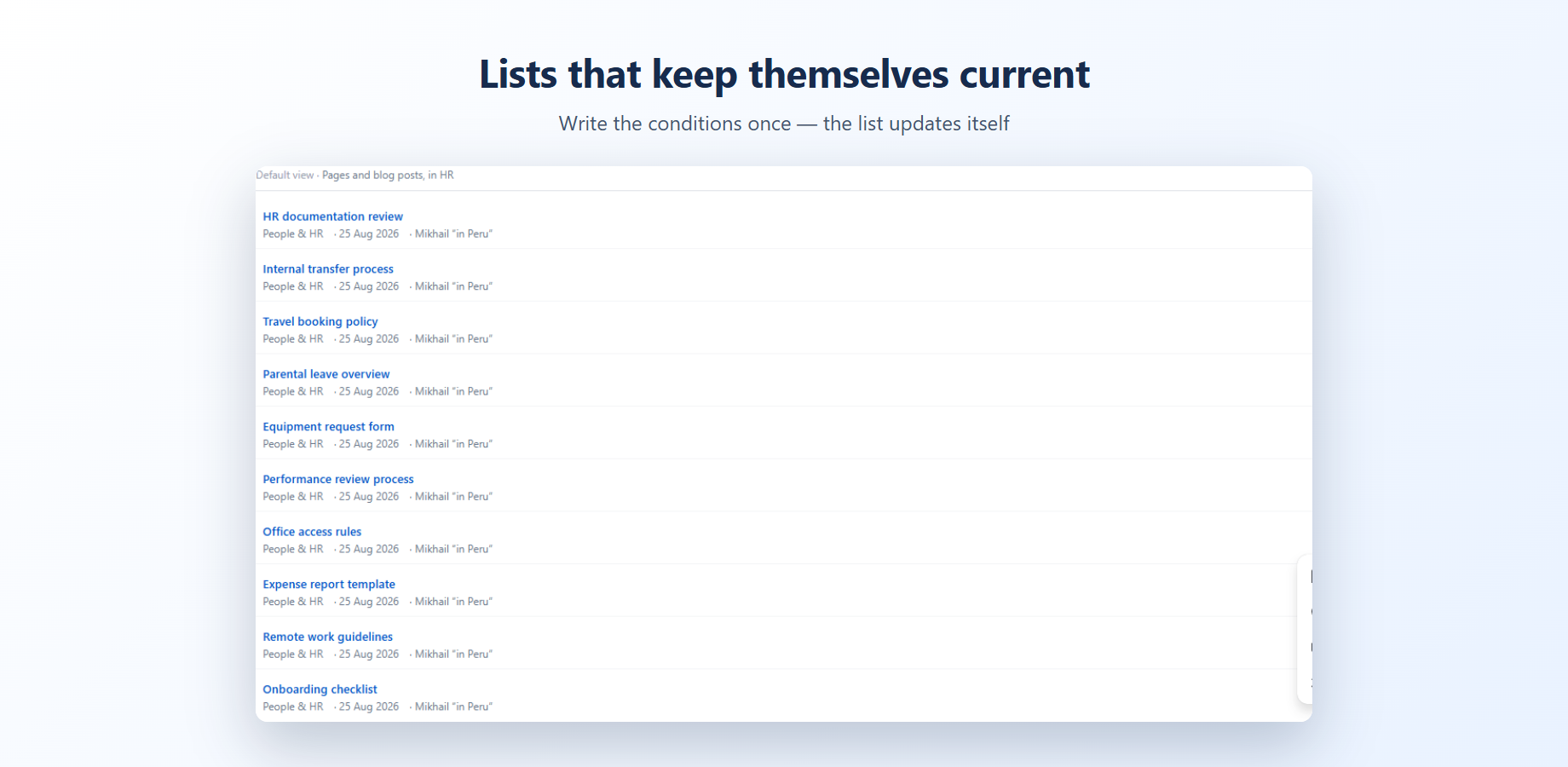
A list, not a snapshot
Pages appear and disappear as they change. A review page written once stays accurate for years without anyone touching it.
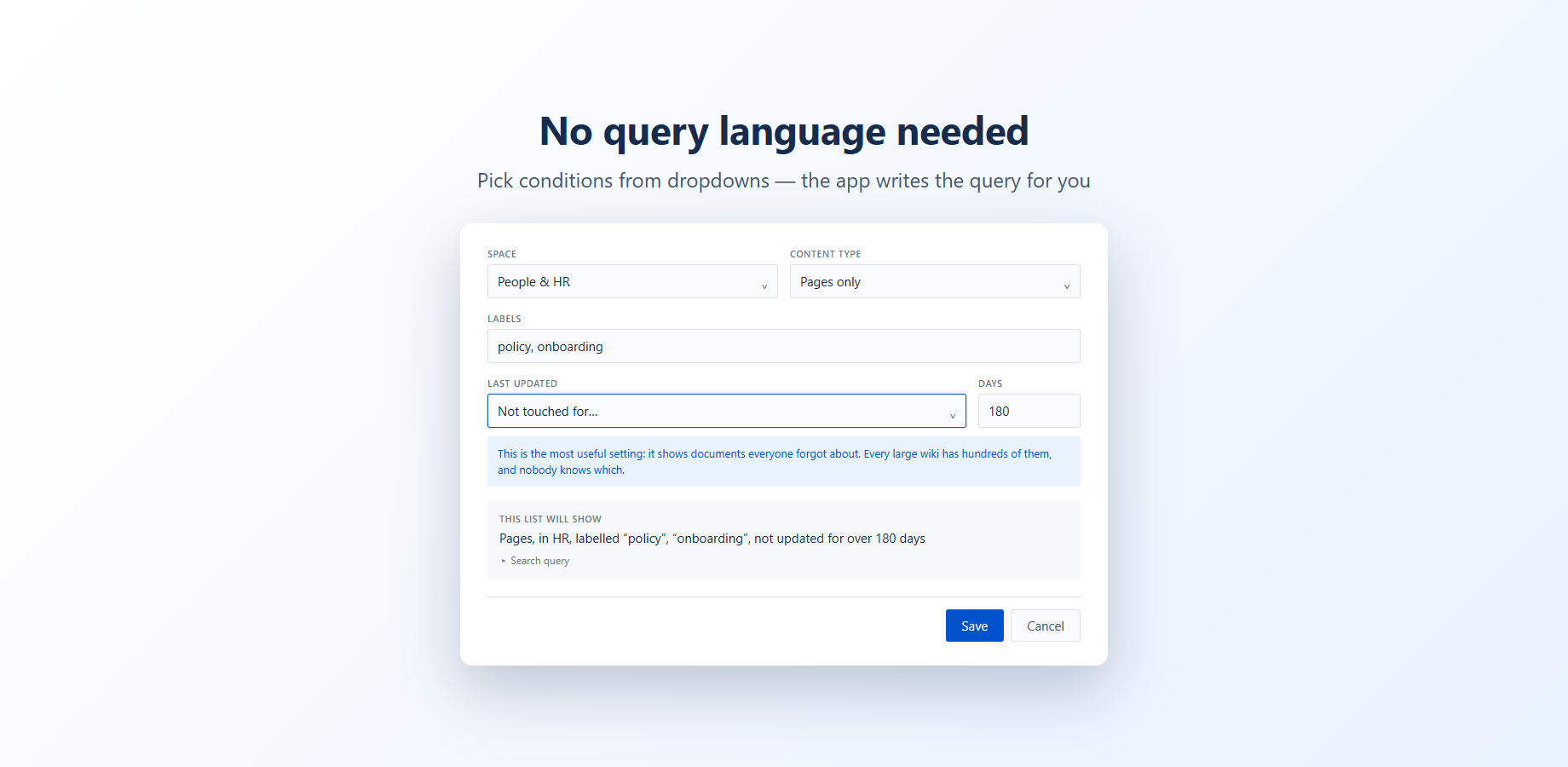
Conditions, not syntax
Pick a space, type a label, choose pages not updated for 180 days. The app writes the query and tells you in plain English what the list will contain.
Pricing
Free for teams up to 10 people. Above that, $0.33 per user per month, billed by Atlassian with your other apps.
A 25-person team pays $25 a month. Cancel from your Atlassian admin at any time.
The app runs entirely on Atlassian infrastructure under the Runs on Atlassian programme. Your pages are read inside your own Confluence site, nothing is stored by us, and nothing leaves your site.
Worried this app gets abandoned like the last one? Fair. Here is our answer to that.
Questions people ask
Why not just use the Confluence content manager?
If you are on Confluence Premium or Enterprise and want a one-off clean-up of a single space, use it: it is native, and its Last active filter asks exactly the right question. Four things to know. It is not available on Confluence Free or Standard. It lives in space settings, so only administrators see the list. It works one space at a time. And it excludes any page that has children. This app puts the same kind of list on an ordinary page, across several spaces, on any plan.
Can the filter by label macro do this?
Almost. It accepts twelve filters from a form, including space, title, text, creator, contributor and subpages, so it covers far more than its name suggests. What it cannot express is a relative period: its date filters return items last updated on a given date, not items untouched for six months. A list built on a fixed date stops meaning what its heading says a month later.
Do I need to know CQL?
No. Conditions are chosen from dropdowns, and the app states in plain English what the list will contain before you save it. If you do know CQL, there is a manual mode where you write the query yourself.
Does the list update itself?
Yes, it is a live list rather than a snapshot. When somebody finally updates a forgotten page, that page leaves the list on its own, and nobody has to maintain a page of links.
Where does my content go?
Nowhere. The app runs on Atlassian infrastructure under the Runs on Atlassian programme. Pages are read inside your own Confluence site, we store nothing, and nothing leaves your site.